

















Start With How Calls Reach Your Business
Most buying guides open with a feature list. We would rather start somewhere more useful: picture the last week of calls into your business. Who rang, where were you when they rang, and what happened to the calls nobody picked up? The best phone system for a small business is the one that fixes whatever went wrong in that week, at a monthly cost you will not notice. A system designed for a 200-seat head office will not do that. It will charge you for seats you don't fill and features you never touch, and it assumes you have an IT person to look after it.
Over the years, the small businesses that call us have tended to fall into four broad shapes. Find the one closest to yours and keep it in mind as you read the rest of this guide.
The owner who is also the receptionist
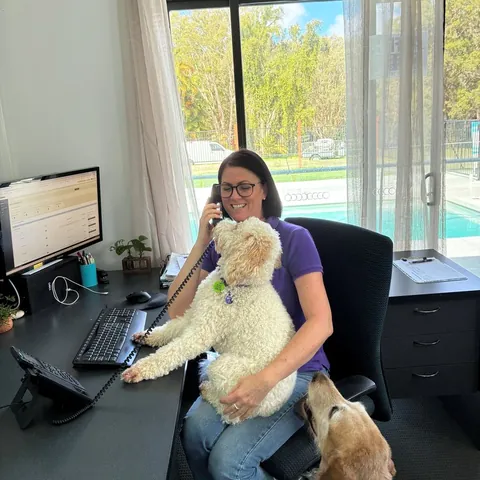
A sole trader or a husband-and-wife operation. The phone is a mobile, the owner is out on jobs or with clients for most of the day, and calls arrive while they are driving, on a roof, or halfway through an appointment. The fixes needed here are simple: a proper business number that keeps the personal mobile private, a greeting that sounds like a real company, and something that catches the call when the owner physically cannot. This business should be paying for one user and no more.
The small office with a front desk
A physio clinic, an accounting practice, a real estate office with three to eight staff. One person mostly answers the phone, but they also greet walk-ins, take payments and go to lunch. The weak points are calls that ring out while reception is busy, callers stuck behind a single line, and the after-hours gap. This business needs a menu that sends callers to the right person, ring groups so a second phone picks up, voicemail that lands in email, and possibly a desk handset or two for the front counter.
The growing team across more than one site
A business that has grown to ten or twenty people, maybe with a second shop, a warehouse, or staff working from home a few days a week. Now the problems are internal as well as external: transferring a caller from one site to the other, keeping everyone on the same number, and adding a new starter without a technician visit. A system that treats every location and every home office as part of one phone system, with extensions, transfers and the ability to add a seat in minutes, is what this business needs.
The shop, café or service counter
Retail and hospitality get bursts of calls at the worst possible moment, when the counter is busy. Booking requests, opening-hours questions and "do you have this in stock" calls pile up. Here the biggest win is having the routine questions answered without a staff member leaving the customer in front of them, plus SMS for confirmations and a simple after-hours message.
Every one of these businesses wants the same five outcomes in the end: to sound established, to stop losing calls, to work from wherever they are, to pay a flat and modest amount each month, and to get it all running without hiring help. Keep those five outcomes in mind. They are the standard every option below gets measured against.
1966
the year Uniden started in Australia
1
user is all a sole trader should be paying for
~85%
of callers who reach voicemail hang up without leaving a message
24/7
call answering with an AI receptionist on the line
Four Ways to Run a Small Business Phone in 2026
When you strip away the brand names, every small business phone setup is one of four things. Some of the older advice still floating around talks about buying a "PBX", the switchboard box that used to sit in a cupboard and run the office phones. That is worth covering too, because it still turns up in quotes.
Option A: a copper landline
For most of Australia, this is no longer a real choice. The old copper PSTN and ISDN networks have been switched off as part of the NBN rollout, so fixed lines are moving to internet-based voice whether the owner chooses it or not. Even if something that behaves like a landline is still running at your premises, it is stuck to one address. It cannot ring your mobile, cannot send a text, has no menu or AI, and does nothing for you once you leave the building. If you still rely on one, our VoIP vs landline comparison for Australia explains what the migration means for you.
Option B: an on-site PBX box
A traditional PBX is hardware you buy and own. It gives you extensions, transfers and a menu, and some owners like the feeling of control. The trade-off for a small business is a large upfront cost, handsets and wiring, and the fact that maintenance, updates and repairs are your problem. Adding staff or a second site can mean more hardware and a technician. These days, small businesses rarely come out ahead with one. Our article on hosted PBX vs on-premise PBX sets out the full comparison.
Option C: bare-bones VoIP
A basic VoIP plan carries your calls over the internet. It is cheaper than a landline, it is not tied to a building, and it usually comes with an app. That is a real improvement. The catch is what is missing: cheaper plans often have no proper auto-attendant, no AI, patchy or no SMS, few integrations, and support that means a help article or an overseas queue. For not much more each month you can have the whole kit. Our business VoIP guide for Australia covers what separates good VoIP from bad.
Option D: an all-in-one cloud phone system
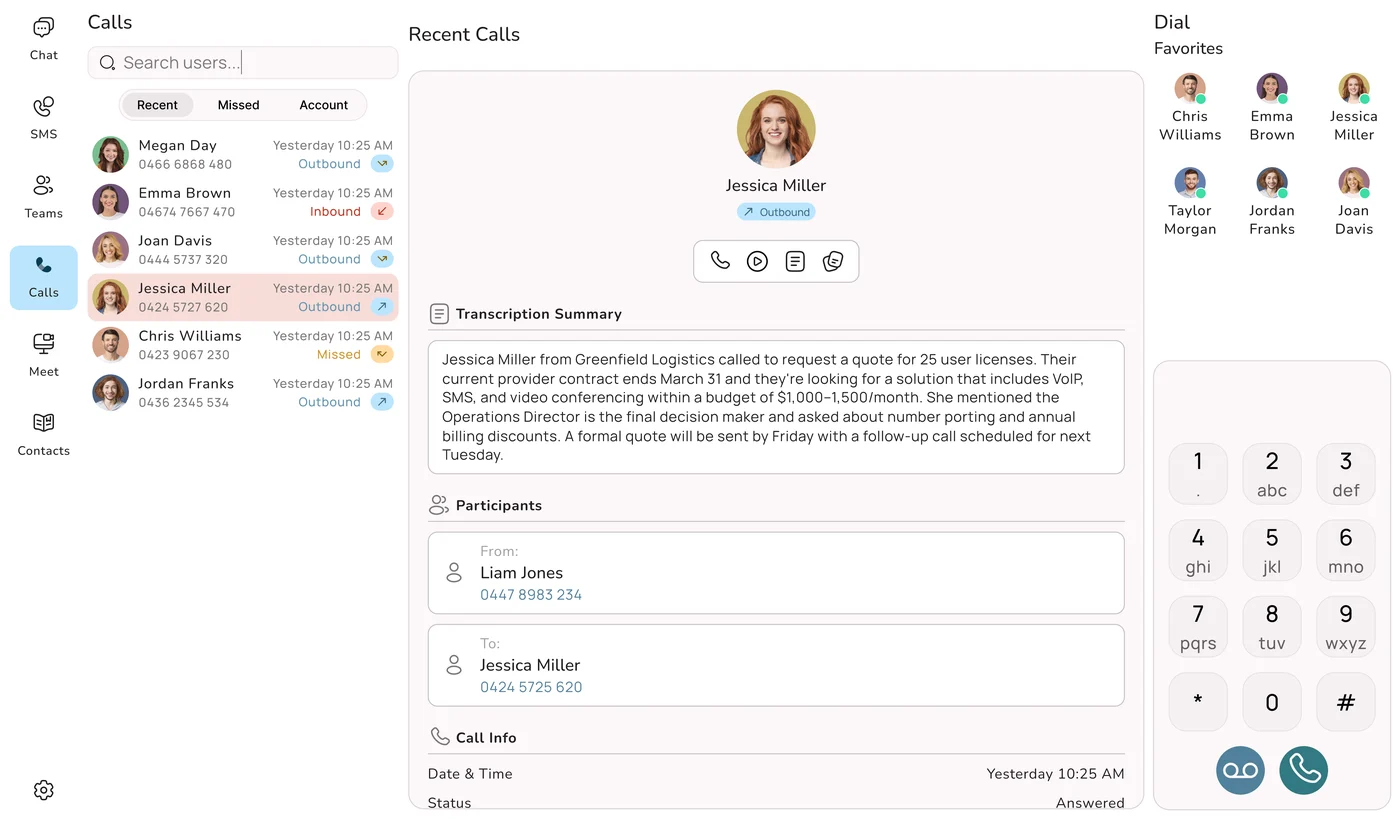
This is a hosted PBX and a business phone toolkit rolled into one service, sometimes sold as UCaaS (unified communications as a service). The provider runs the system in a data centre. You get calling, an auto-attendant, ring groups and routing to mobiles, voicemail-to-email, SMS, an AI receptionist, apps for phone and computer, and links to the software you already use, all on one bill. Updates arrive without you lifting a finger. This is the only option that delivers all five outcomes for every business shape above. If the idea is new to you, start with what a cloud phone system is, then read our plain-English explainer on UCaaS and unified communications.
If You Read Nothing Else
The copper landline is on its way out. A PBX box in the cupboard ties up cash and leaves maintenance to you. Basic VoIP gets you cheap calls but not much more. An all-in-one cloud phone system gives a one-person business the same front-of-house a big company has, for a small monthly fee and with nothing to maintain. For nearly every small business, that is the category to shop in. The rest of this guide is about choosing well inside it.
The Scorecard: How Each Option Stacks Up
Here are the four options again, this time scored against the questions a small business owner should be asking. The cloud column uses Uniden Voice Over Cloud as the example.
| Question to ask | Copper Landline | On-Site PBX | Basic VoIP | All-in-One Cloud (Uniden Voice) |
|---|---|---|---|---|
| Will callers hear a professional greeting and menu? | ✗ No | ✓ Yes | ~ Sometimes | ✓ Included |
| Can the call follow me to my mobile? | ✗ Desk only | ~ Extra setup | ✓ Yes | ✓ Anywhere |
| Who answers when nobody can? | ✗ Rings out | ~ Voicemail | ~ Voicemail | ✓ AI receptionist, 24/7 |
| Do messages reach my inbox? | ✗ No | ~ Depends | ~ Limited | ✓ Audio and text |
| Can I text customers from the business number? | ✗ No | ✗ Rarely | ~ Sometimes | ✓ Included |
| Does it talk to Xero, MYOB or my CRM? | ✗ No | ~ Add-ons | ~ Limited | ✓ Native |
| Can I start with just one user? | ~ Per line | ✗ Box sized up front | ~ Often 3+ seats | ✓ No minimum |
| What do I pay before day one? | ~ Handsets, wiring | ✗ Hardware and install | ✓ Low | ✓ Nothing required |
| Who sets it up and maintains it? | ~ Technician | ✗ You, or a contractor | ~ You, via a portal | ✓ Done for you |
| Where is it hosted and supported? | ~ Varies | ~ Your premises | ~ Often offshore | ✓ Australia, 24 hours |
| Will the bill be the same each month? | ~ Rental plus calls | ~ Plus repairs | ✓ Mostly | ✓ Simple per user |
Read down the right-hand column and the picture is clear. Only the all-in-one cloud system answers "yes" to every question, and it is the only option that deals with the two things that hurt small businesses most: calls nobody answers, and paying for seats nobody sits in. The on-site PBX does well on features, but it loses on upfront cost, upkeep and flexibility. Basic VoIP wins on price and falls short almost everywhere else.
A 12-Point Checklist Before You Sign
Once you have settled on cloud, the providers start to look alike on their websites. Feature lists run to dozens of items and every plan claims to be "all-in-one". This checklist cuts through that. Take it into every sales call and demo. Any provider worth choosing will give you a straight yes on most of these. Our separate guide to the essential features to look for in a cloud phone system for a small business goes further into each feature.
The front of house
- Auto-attendant and greeting. A short recorded welcome and a simple menu ("press 1 for bookings, 2 for accounts") make a two-person firm sound settled and send callers to the right spot first time.
- Ring groups and routing to mobiles. Calls should be able to ring your mobile, a colleague's and the front counter, one after another or together, so somebody picks up wherever the team is working that day.
- Opening-hours rules. Calls should behave differently at 10am on a Tuesday and 8pm on a Saturday: to the team during hours, to an AI agent, voicemail or an on-call mobile after.
- An AI receptionist included in the price. Ask outright whether AI answering is part of the plan or a separate line on the invoice. More on this below.
The day-to-day
- Voicemail-to-email. Messages should arrive as audio plus a written transcript, so you can read them in ten seconds between jobs.
- Business SMS. Texting from your business number covers reminders, quotes and quick replies, and plenty of customers would rather text than talk.
- Apps on every device. Free apps for Android, iOS, Windows, Mac and Linux, so the business line travels with you and your personal number stays private.
- Call recording. Useful for training new staff, settling "but you said" disputes, and meeting record-keeping requirements in some industries. Check it is available and how long recordings are kept.
- Integrations with your tools. If you live in Xero, MYOB or a CRM, the phone system should link to it so contacts and call history are in one place without retyping.
The business side
- No minimum user count, and easy scaling. Start at the size you are. Adding a seat for a new hire, or removing one when a casual leaves, should take minutes, not a contract variation.
- Number porting, free and without downtime. Your landline, mobile, 1300 or 1800 number should come with you, and the old service should stay live until the move is complete. Our guide on how to get a 1300 or 1800 number in Australia covers inbound numbers in detail.
- Australian hosting, local support and help getting started. Find out where your calls and data are hosted, who picks up when you ring support at 7pm, and whether someone will set the system up and show your staff how to use it, or just send you a login.
What is missing from the list matters too. Large contact-centre tools such as skills-based routing for hundreds of agents, workforce management screens and wallboards are real products, but a small business rarely needs them. Paying for a tier that includes them is one of the most common ways small operators overspend. If a salesperson leads with those, steer the conversation back to the twelve points above.
How Uniden Voice Over Cloud Scores
All twelve points are covered as standard, inside a plan that includes 50+ features. There is no minimum user count, AI call agents come with the plan rather than as an upgrade, porting is free for a limited time, and a dedicated account manager sets up your call flows and gets your team going. Hosting and support are both in Australia.
The Receptionist You Could Never Afford to Hire
Ask a small business owner whether they would like a full-time receptionist and the answer is usually "of course, but not at that wage". That is the gap AI answering fills, and it is why AI matters more to a five-person business than to a large company. The big company already has a switchboard and a front desk. The small business has the owner, who is also the salesperson, the technician and the bookkeeper, and who cannot answer the phone while doing any of those jobs.
What actually happens on the call
Picture a plumber's phone ringing at 2:40pm while he is under a house. Without AI, it rings out or drops to voicemail, and roughly 85% of callers who reach voicemail hang up without leaving a message. The caller tries the next plumber on Google. With an AI call agent, the call is answered on the first ring by a natural Australian voice: "Thanks for calling, how can I help?" The agent knows the business because it has been trained on its details. It can say whether the plumber covers that suburb, give a rough idea of the call-out process, take the address and the problem, and book a time into the calendar. When the plumber climbs out, there is a summary waiting on his phone and a job in the diary.
After hours, when the urgent calls come
A lot of small business calls arrive outside business hours, because that is when the customer's own problem happens: the leaking tap at 9pm, the Saturday booking, the Sunday-night question about Monday. A traditional setup sends all of them to voicemail. An AI receptionist has a proper conversation instead, and the owner starts Monday with bookings rather than a list of numbers to call back and hope.
It has to sound like it belongs here
Plenty of AI voice products are built on American-English models. They trip over Australian accents, mispronounce suburb names, and get confused by "arvo" or "servo". Your customers notice straight away. Uniden Voice Over Cloud trains its AI call agents on your business information and gives them authentic Australian voices that understand local accents, slang and place names, so the caller gets a conversation that feels local. You can read more about how they work on the Uniden Voice AI Agents page.
"AI-Powered" Is Not the Same as "AI Included"
A lot of providers put AI in the headline and then lock the receptionist, the transcripts and the call summaries behind their top tier, or charge for them per minute or per seat. Sometimes the AI costs more than the phone plan it sits on. On a small budget, that is the difference between a bargain and a bill shock. Ask the question in writing: is AI answering part of the price I am being quoted? With Uniden Voice Over Cloud, AI call agents are standard, not an optional extra.
If you want the full picture, our complete 2026 guide to AI business phone systems in Australia explains how the technology works and what it costs. If the choice in your head is between AI and putting someone on the payroll, read our breakdown of AI receptionist vs human receptionist costs.
Working Out the Real Monthly Cost
Cloud phone systems are nearly always sold per user, per month, and across the market that tends to sit somewhere between about $10 and $50 a user depending on the tier and what is included. The trouble is that the number in large type on a pricing page is rarely the number on your invoice. Three things widen the gap, and for a small business the first one is usually the most expensive. For a full breakdown across business sizes, see our dedicated guide to business phone system costs in Australia.
1. The minimum seat count
Several well-known providers will not sign you up unless you take a minimum number of users, often three. For a large company that rule goes unnoticed. For a sole trader it means paying for two people who do not exist. Here is what that looks like for a one-person business on a $30 per user plan:
| Sole trader on a $30 per user plan | Provider with a 3-user minimum | Provider with no minimum |
|---|---|---|
| Seats you must pay for | 3 | 1 |
| Monthly cost | $90 | $30 |
| Yearly cost | $1,080 | $360 |
| Spent on empty seats each year | $720 | $0 |
Same service, same features, and two-thirds of the bill on the left goes on nobody. Across a few years, that is the cost of a decent laptop or a month of advertising. The no-minimum model also suits the way small businesses grow: you hire your second person, add a seat that week, and pay for the headcount you actually have, never the one you are hoping to reach.
2. Features and AI sold separately
A base plan can leave out exactly the features that make a cloud system worth having. AI answering, transcription, SMS and integrations may each be a bolt-on or sit on a higher tier. Add them back and the real monthly figure can double. The only honest comparison is the price with everything you need turned on.
3. Setup, porting, overage and lock-in
Look for one-off setup fees, porting charges, per-minute billing that spikes in a busy month, and multi-year contracts with break fees. None of them suit a small business that needs to forecast its costs and keep its options open.
The Sum to Do on Every Quote
Real monthly cost = (price per user × the number of seats you are forced to buy) + AI and add-on fees + (setup and porting fees ÷ 12). Run that on each quote and compare the totals, not the headline prices. With Uniden Voice Over Cloud the sum is short: one per-user price with 50+ features and AI included, no minimum users, free demo and installation, and free porting for a limited time.
"Knowing that our phones are always connecting our customers with the right staff has simplified our customer engagement. Having features like this, which are usually only available to larger companies, in a cost-effective manner is excellent. Now that I am using the mobile application I can stay connected with my business when I am out of the office." Marie-Claire, Owner, Wealth of Health
Apps, Desk Phones and the Internet Underneath
A question we hear a lot from owners who are new to cloud: "So what do I actually hold to my ear?" The answer is whatever suits the way you work, and you can mix and match within one business.
Apps on the devices you already own
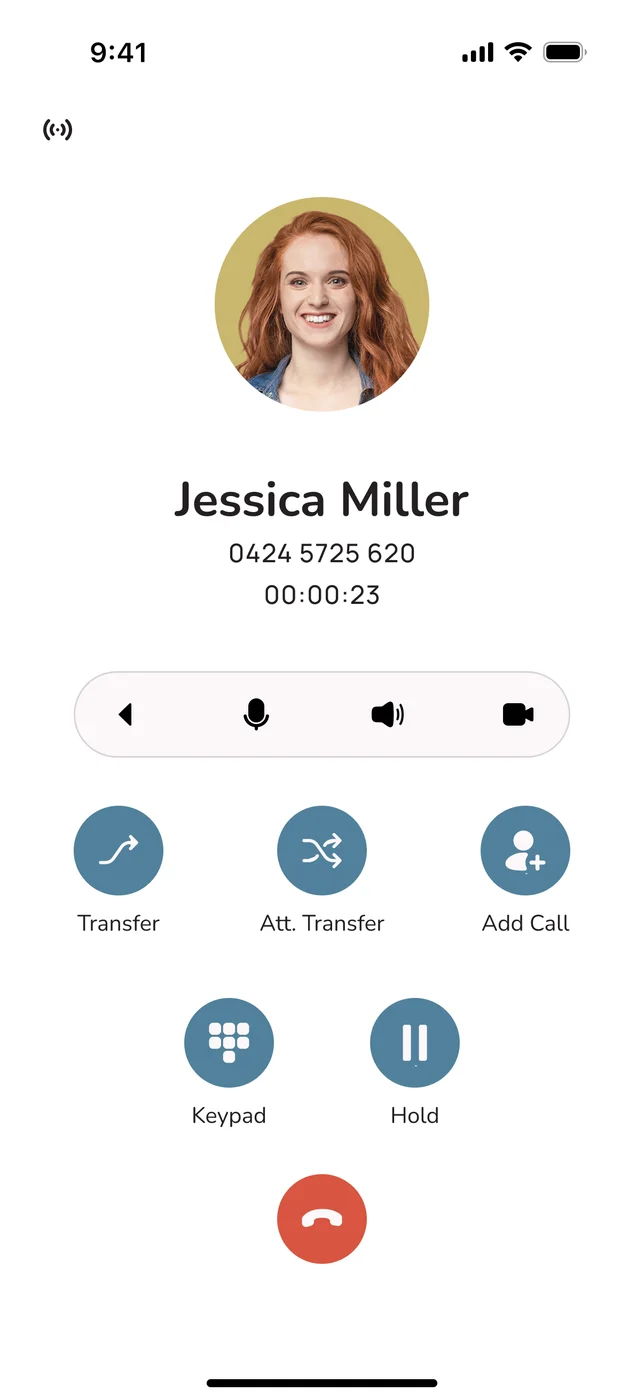
Many small businesses run entirely on apps. Your business number sits on your mobile alongside your personal one, and on your laptop when you are at a desk. You see which number is ringing, you can call out as the business, and you can switch the business line off at knock-off time. Nothing to buy, nothing to install on a wall.
Real desk phones, from a brand you know
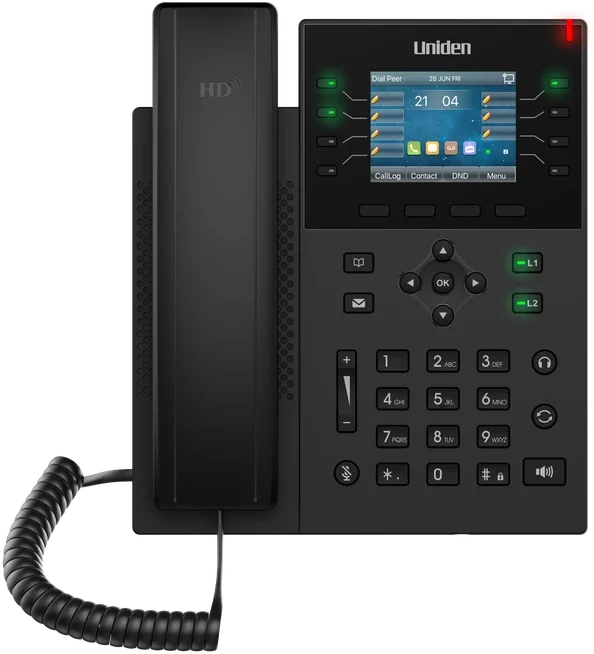
Front counters, reception desks and anyone on the phone all day usually prefer a proper handset. This is where a phone system from Uniden is different from a software-only provider. Uniden has been making phones for Australian homes and offices since 1966, and Uniden Voice Over Cloud works with the Uniden EVOC2 HD desk handset, plus conference phones for meeting rooms and headsets for people who spend hours on calls. If you would rather have it all arrive ready to go, there is a "phone in a box" option: see the Uniden business phone setup. Already own IP desk phones? Ask before you switch, because compatible handsets can sometimes be reused.
The connection matters more than people think
Cloud calls travel over your internet connection, so call quality is only as good as the line underneath. On a decent business nbn connection, a cloud call sounds as clear as a landline did, and often clearer. On a congested connection shared with someone streaming video, it may not. Uniden Voice offers business nbn plans set up alongside the phone system, so one provider looks after both and there is one bill. Being honest about the downside: if the internet drops, desk handsets on that connection stop too. The fix is to have calls fail over to mobiles, which a cloud system can do automatically. Our article on business phone redundancy explains how to plan for an outage.
Switching Over Without Missing a Call
The biggest reason small businesses stay on a phone setup they dislike is fear of the switch itself: lost calls, a dead number for a day, a weekend lost to manuals. Done properly, the move is quiet and the customers never notice. Here is how it runs with us.
First: a conversation about how you work
Book a free demo or ring 1300 881 662. We ask the questions that shape the setup: who should ring first, what happens at lunch, what callers ask most often, and whether you want an AI receptionist covering after hours. You get a setup built around your business, not a template.
Next: your number moves, your old line keeps working
Porting your existing number works for landlines, business mobiles and 1300 or 1800 numbers. With Uniden Voice Over Cloud it is free for a limited time. Your current service stays live until the port is complete, so there is zero downtime and nobody calling you hits a dead line.
Then: apps installed, handsets plugged in
Your team installs the free apps on their phones and computers and the business number works straight away. If you ordered Uniden desk phones, they arrive ready to plug in. No technician visit, no wiring.
Finally: call flows, AI and a quick walk-through
Your dedicated account manager builds the greeting, menu, ring groups, opening-hours rules and AI receptionist, trained on your business details. Staff get a short walk-through of the apps and handsets, which takes a lot of the nerves out of a new system. After go-live, your account manager keeps an eye on the first few weeks and adjusts anything that is not working.
Why Customers Don't Notice the Move
The new system is built and tested before your number moves. Your old phone keeps ringing right up until the moment of cutover, then the new one takes over. At no point is the number dead or a call left unanswered, and nobody in your team has to touch a settings screen. For a small business, that takes away the usual reason to keep putting the upgrade off.
Why We Point Small Businesses to Uniden Voice Over Cloud
Put the four business shapes, the scorecard and the checklist together and the conclusion for most Australian small businesses is an all-in-one cloud phone system. Within that category, Uniden Voice Over Cloud is the one we recommend for small teams, for these reasons.
A Name Australians Know
Uniden has been an Australian household brand since 1966. Uniden Voice Over Cloud is that brand's business phone system, hosted in Australia so your calls and data stay onshore.
Start With One User
No minimum user count. A sole trader pays for one seat and adds more when the business grows, instead of carrying empty seats every month.
AI Agents in the Plan
AI call agents with authentic Australian voices, trained on your business, answer when you can't. They are part of the service, not a premium tier.
Uniden Hardware If You Want It
Free apps for every device, plus the Uniden EVOC2 HD desk handset, conference phones and headsets for the people who need them.
Local Help, Around the Clock
24-hour support from people in your timezone, and a dedicated account manager who knows your setup, instead of a ticket number.
Set Up For You
Free demo and installation, free porting for a limited time, zero downtime, and your call flows and AI configured by our team.
What this means day to day: a small business gets the front-of-house a large company has, with a greeting and menu, calls that follow you, voicemail in your inbox, SMS and an AI receptionist, for a small and predictable monthly cost. No empty seats, no AI surcharge and no overseas support queue. To see how Uniden Voice compares with the rest of the market, our roundup of the best business phone systems in Australia 2026 covers the wider field, and why so many Australian businesses choose Uniden Voice goes into more detail on the brand.
"Uniden Voice Over Cloud perfectly complements our billing software. The ease of integration with our billing software and great local support improved our own customer interactions and now many of our customers have made the switch." Chris, Operations Manager, PracBill
Questions Small Business Owners Ask Us
Further Reading
This guide is about choosing well as a small business. These articles pick up the related questions in more depth.